01 · Teachers
Finish the register before the bell takes over.
Open an assigned class, mark unmarked learners present, change exceptions and save. A draft stays on the device if the connection drops.
See product screenshots →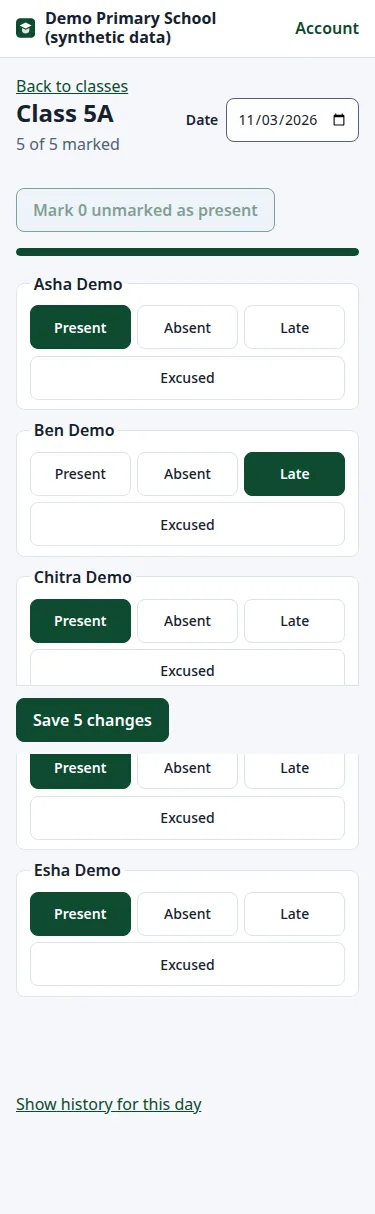
Home / Features
Attendance · learner records · fees · exams · family access
Each person gets a clear view of their task, while the school keeps one traceable record of attendance, payments and changes.
Set up SchoolKickChoose a role
For teachers
Mark the usual case in one action. Change exceptions, save once and keep the correction history.
Read the details below ↓01 · Teachers
Open an assigned class, mark unmarked learners present, change exceptions and save. A draft stays on the device if the connection drops.
See product screenshots →02 · Families
Guardians see linked learners and their attendance history. They cannot browse unrelated learner records.
See product screenshots →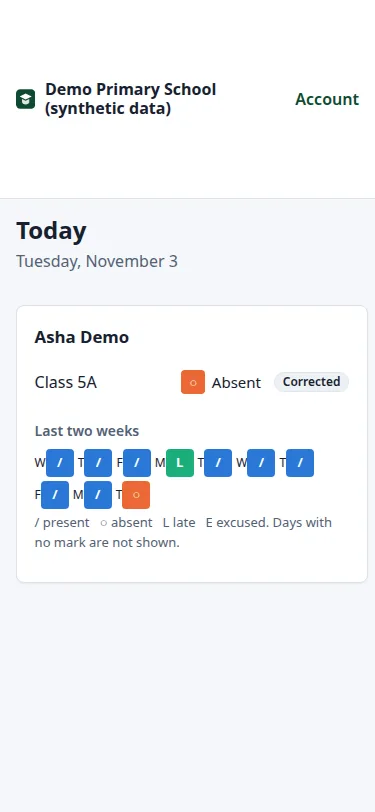
03 · Registrars
Review problems by row and column. A failed file does not create a half-imported class.
See product screenshots →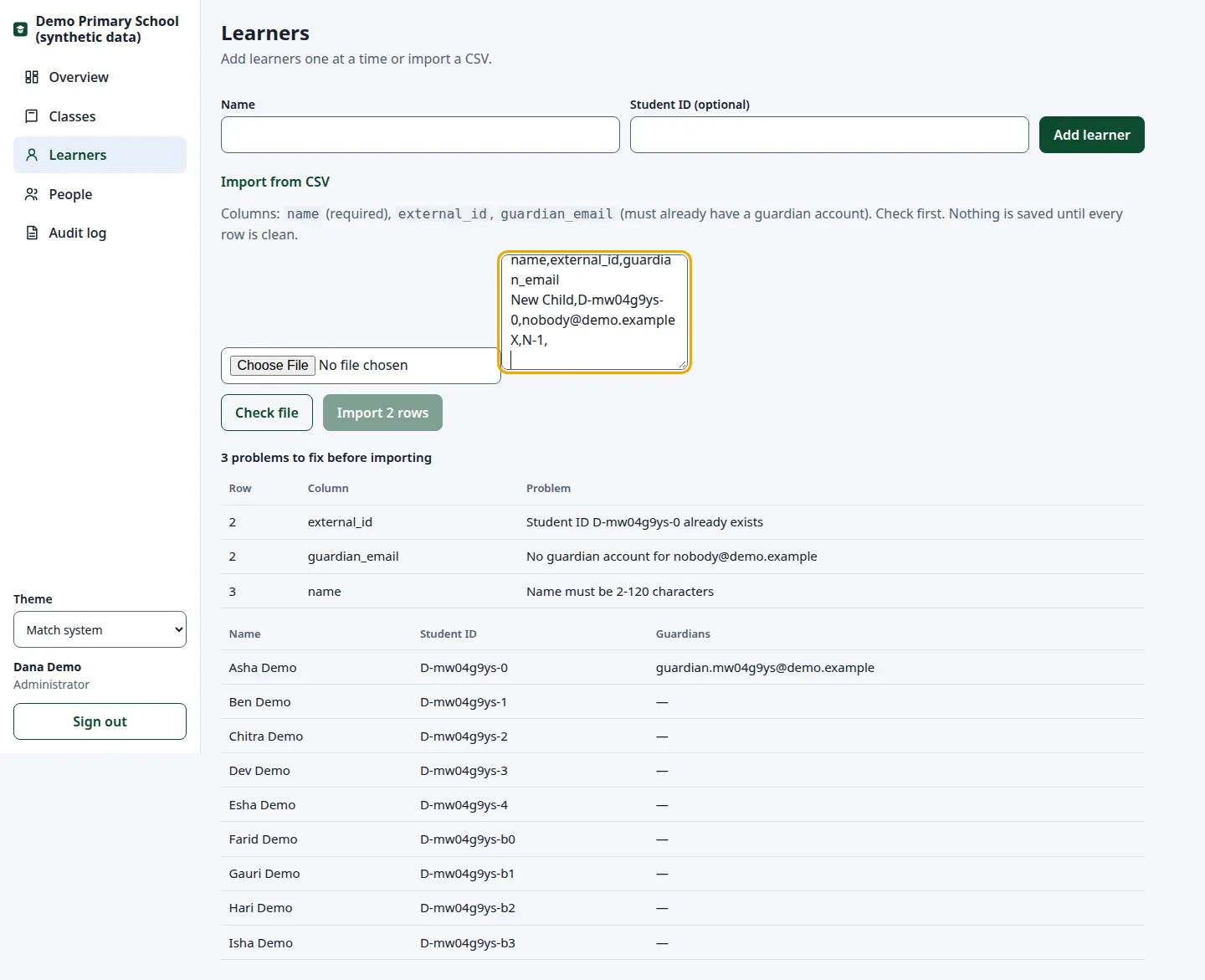
04 · School leaders
See classes missing today’s register, recent corrections and learners without a guardian link.
See product screenshots →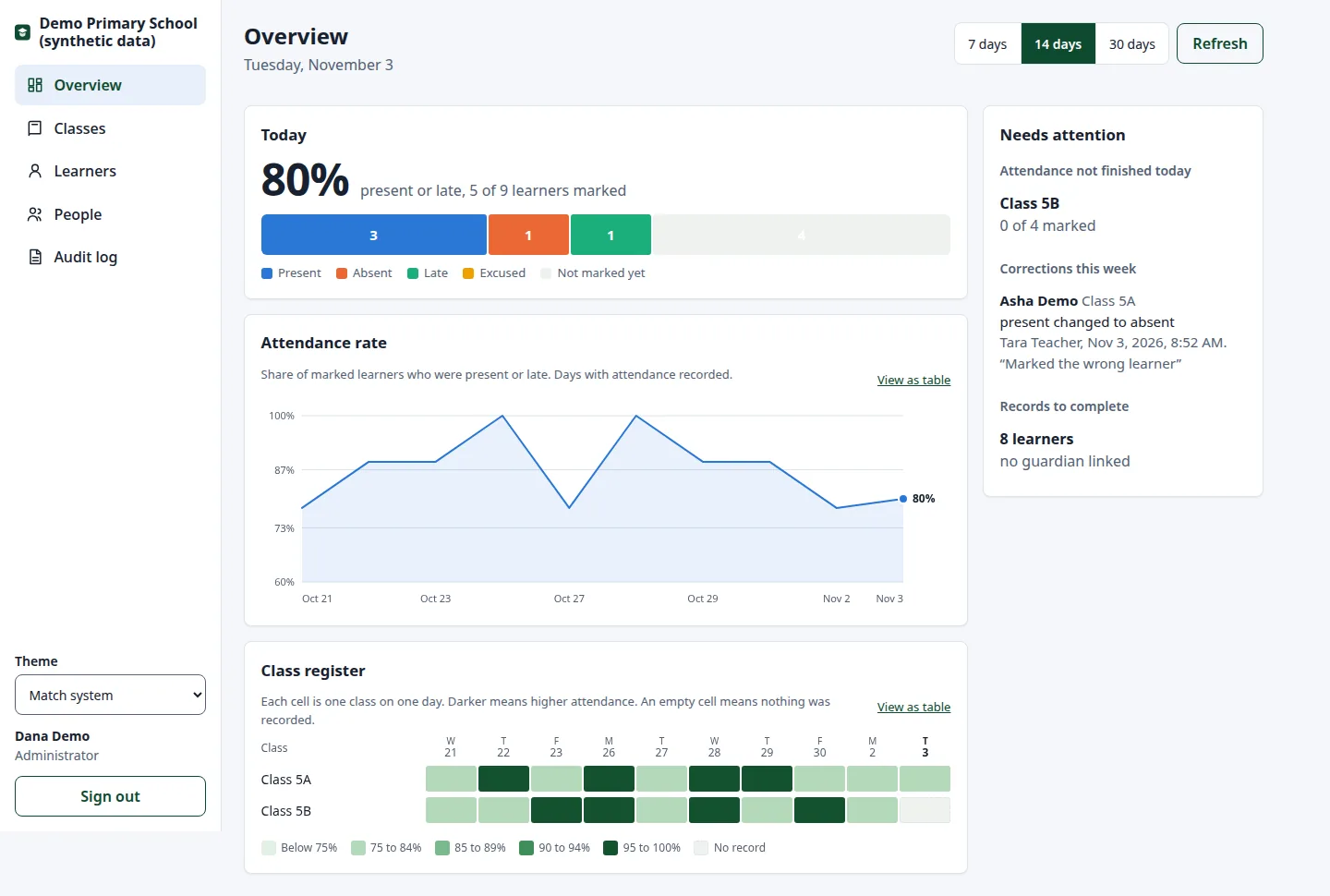
05 · Finance teams
Raise learner invoices, record cash or UPI QR payments confirmed by the office, issue receipts and keep refunds in a reviewable history. Card and bank payment provider integrations are not available yet.
See product screenshots →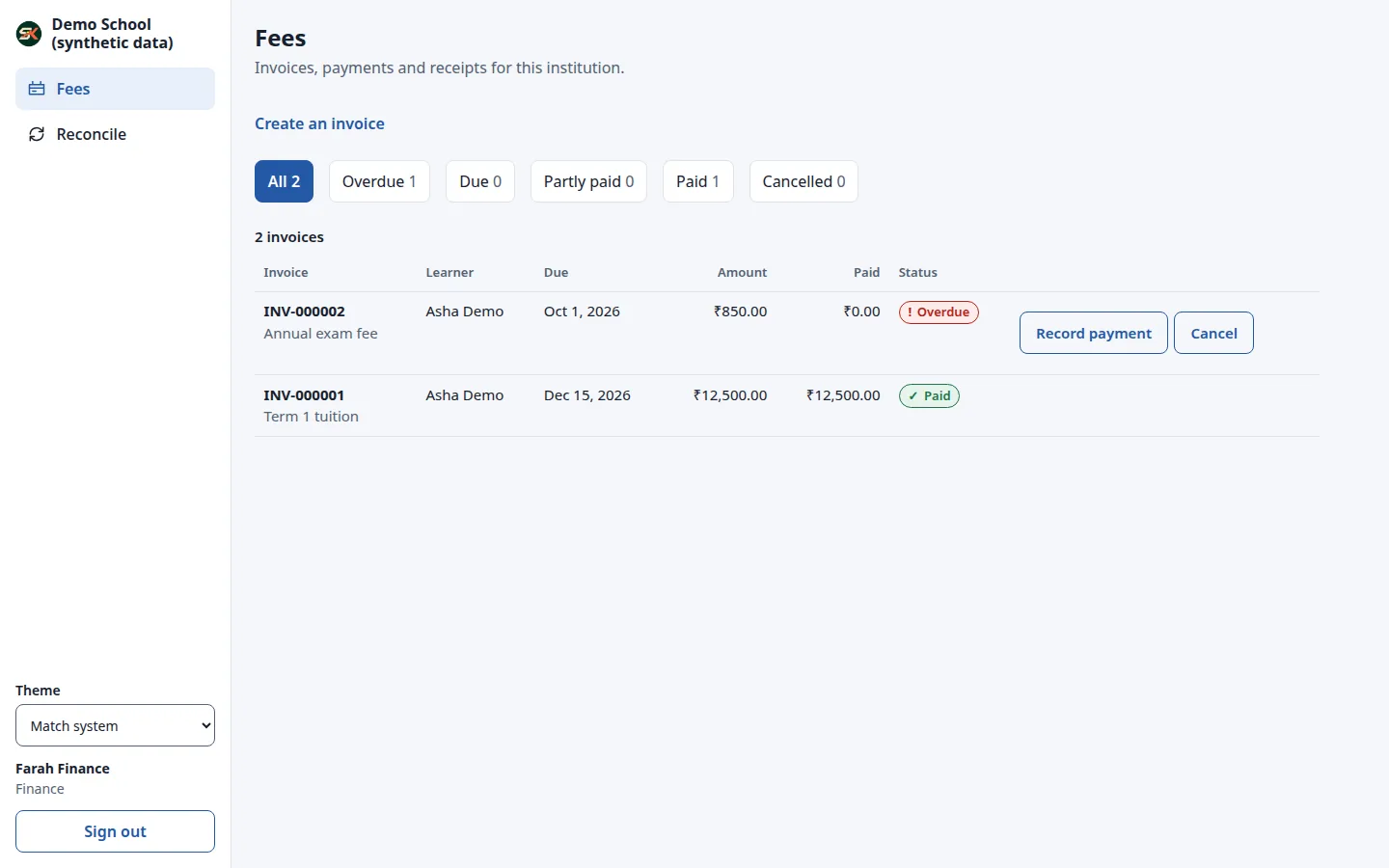
06 · Exam offices
Set subjects, dates, registration windows, attendance eligibility and fees. Families can register and follow payment status; office confirmation completes payment review. Marks entry and result release are not available yet.
See product screenshots →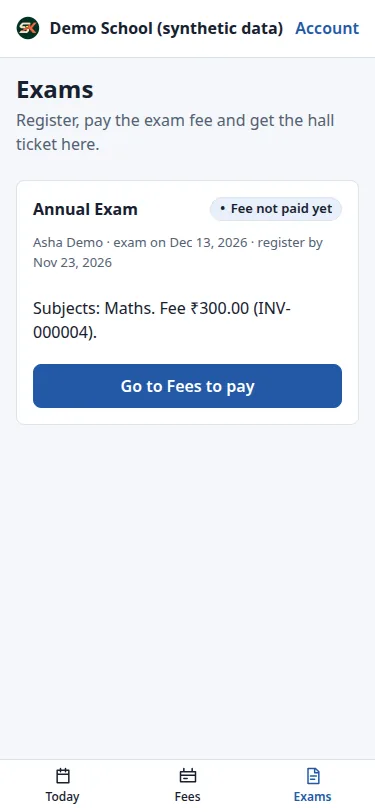
The record itself
Changing a saved attendance mark requires a reason. The previous mark, new mark, person and time are kept.
Before real learner data
SchoolKick is an early release and has not had an independent security, accessibility or legal audit. The school running it is responsible for access, backups and local privacy requirements.